Developer Guide
Quickstart Guide
Get started with the Data Docked Maritime API in minutes. This guide covers authentication, your first API call, and understanding the credit system.
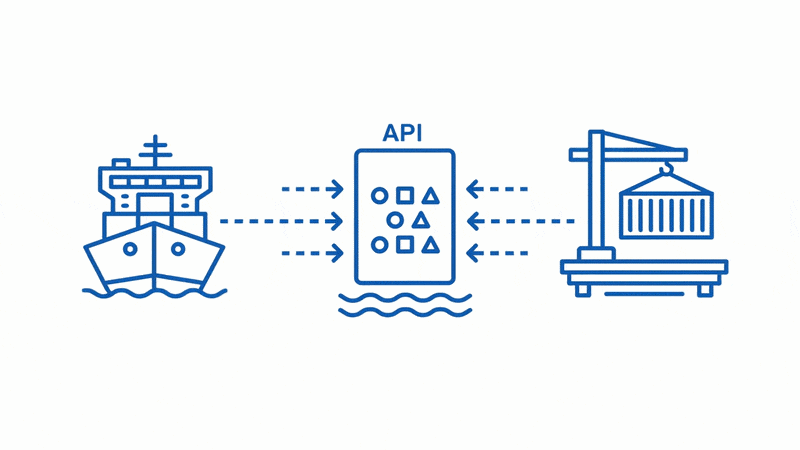
Get Started in 4 Steps
From signup to your first API call - here's everything you need to start tracking vessels.
1
Create Your Free Account
Sign up at datadocked.com to get 20 free credits instantly. No credit card required.
Sign Up Free2
Find Your API Key
Your API key is created automatically when you sign up. Find it in Dashboard → My Keys — no extra steps needed.
Go to My Keys3
Make Your First Request
Use your API key in the x-api-key header. Start with the free "My Credits" endpoint to test.
Try API Playground4
Track Vessels
Query vessel locations, particulars, port calls, and more. Each endpoint costs credits based on data complexity.
View All EndpointsAuthentication
All API requests require authentication using your personal API key.
Where to Find Your API Key
Your API key is created automatically when you sign up. Find it in Dashboard → My Keys.
Go to My KeysUsing Your API Key
Pass your API key in the x-api-key header:
curl -X GET "https://datadocked.com/api/vessels_operations/my-credits" \
  -H "accept: application/json" \
  -H "x-api-key: YOUR_API_KEY"
Security Best Practices
- •Never expose your API key in client-side code or public repositories
- •Use environment variables to store your key securely
- •Regenerate your key immediately if you suspect it's been compromised
Your First API Call
Start by checking your credit balance - it's completely free!
Check Your Credits
FREERequest
import requests

url = "https://datadocked.com/api/vessels_operations/my-credits"
headers = {
    "accept": "application/json",
    "x-api-key": "YOUR_API_KEY"
}

response = requests.get(url, headers=headers)
print(response.json())

# Response: {"detail": {"credits": 20}}
Response
{
  "detail": {
    "credits": 20
  }
}
Get Vessel Location
1Request
import requests

url = "https://datadocked.com/api/vessels_operations/get-vessel-location"
headers = {
    "accept": "application/json",
    "x-api-key": "YOUR_API_KEY"
}
params = {
    "imo_or_mmsi": "9247431"  # IMO or MMSI number
}

response = requests.get(url, headers=headers, params=params)
data = response.json()

print(f"Vessel: {data['name']}")
print(f"Position: {data['latitude']}, {data['longitude']}")
print(f"Speed: {data['speed']} knots")
Response
{
  "name": "EVER GIVEN",
  "imo": "9811000",
  "mmsi": "353136000",
  "latitude": "31.2847",
  "longitude": "32.3444",
  "speed": "12.5",
  "course": "315",
  "destination": "ROTTERDAM",
  "navigationalStatus": "Underway using Engine",
  "positionReceived": "Mar 24, 2026 10:30 UTC",
  "updateTime": "Mar 24, 2026 10:32 UTC",
  "dataSource": "Terrestrial"
}
Need Help Finding Vessels to Track?
Don't have the IMO or MMSI numbers for the vessels you want to track? We can help you build a vessel list based on your criteria.
- •By vessel type - Tankers, bulk carriers, container ships, and more
- •By specifications - Size range, deadweight tonnage, flag state
- •By geography - Use the Vessels by Area endpoint
Understanding Credits
Credits are the currency for API calls. Each endpoint costs a specific number of credits based on data complexity.
Start with 20 Free Credits
No credit card required. Test any endpoint before committing to a plan.
| Endpoint | Credits | Rate Limit |
|---|---|---|
| My Credits | FREE | 50/min |
| Vessel Location | 1 | 100/min |
| Vessel Particulars | 1 | 50/min |
| Vessel Engine | 1 | 50/min |
| Vessel Management | 1 | 50/min |
| Vessel by Name | 1 | 50/min |
| Vessels by Type & Country | 1 | 50/min |
| Port Calls by Vessel | 5 | 50/min |
| Vessel Weather | 1 | 50/min |
| Vessel Inspection | 3 | 15/min |
| Vessel Info (Full) | 5 | 15/min |
| Vessels by Area | 10 | 50/min |
| Port Calls by Port | 50 | 15/min |
| Port Search | 1 | 50/min |
| Historical Data | 5/date | 15/min |
| Bulk Location | 1/vessel | 15/min |
When Credits Run Out
Your API key will be temporarily disabled until you add more credits. You have two options:
- •Subscribe to a plan - Starting at EUR 80/month with monthly credit allocations
- •Pay-As-You-Go - Purchase credits as needed without a subscription
Understanding Rate Limits
Rate limits control how many API requests you can make per minute. This ensures fair usage and optimal performance for all users.
What Are Rate Limits?
Rate limits are expressed as requests per minute. For example, "100/min" means you can make up to 100 requests to that endpoint every minute.
- •Limits reset every 60 seconds
- •Each endpoint has its own independent limit
- •Rate limits are separate from credit costs
Rate Limit Tiers
High-frequency100/min
Vessel Location - Real-time tracking
Standard50/min
My Credits, Vessel Particulars, Engine, Management, Vessel by Name, Vessels by Area
Data-intensive15/min
Vessel Info, Port Calls, Weather, Inspections, Historical Data, Bulk Search
What Happens When You Hit the Limit?
When you exceed the rate limit, you'll receive a 429 Too Many Requests error:
{
  "detail": "Rate limit exceeded. Please wait before making more requests.",
  "status": 429
}
Best Practices
- •Implement retry logic - Wait and retry after receiving a 429 error
- •Use bulk endpoints - Track up to 50 vessels per request with Bulk Search
- •Cache responses - Store frequently accessed data to reduce API calls
- •Spread requests - Distribute calls evenly instead of bursting
Explore Popular Endpoints
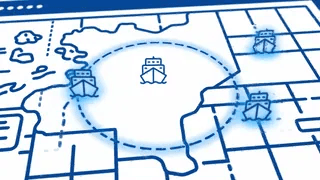
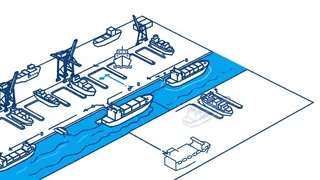
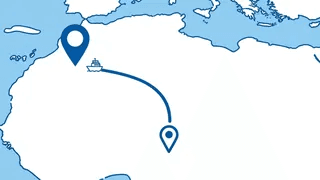
Each endpoint returns specific maritime data. Click to view full documentation.
Multi-Language Code Examples
Copy-paste examples in your preferred programming language to get started quickly.
Get Vessel Location
curl -X GET "https://datadocked.com/api/vessels_operations/get-vessel-location?imo_or_mmsi=9247431" \
  -H "accept: application/json" \
  -H "x-api-key: YOUR_API_KEY"
Handling Errors
Learn how to handle common API errors and their solutions.
401UnauthorizedAPI key is missing or invalid
{"detail": "Missing required header: x-api-key"}Solution: Verify your API key is correctly set in the x-api-key header. Get your key from the dashboard.
403Forbidden - Out of CreditsYour credit balance is zero
{"detail": "Insufficient credits. Please upgrade your plan."}Solution: Purchase more credits or subscribe to a plan. Visit the pricing page for options.
429Too Many RequestsRate limit exceeded for this endpoint
{"error": "Rate limit exceeded. Please wait before retrying."}Solution: Implement exponential backoff in your code. Check the rate limits table for each endpoint.
404Not FoundVessel not found with the provided IMO/MMSI
{"detail": "Unable to find vessel with the provided identifier"}Solution: Verify the IMO or MMSI number is correct. Use the vessel-by-name endpoint to search.
Next Steps
Continue your journey with these resources.
Ready to Start Tracking Vessels?
Get 20 free credits and make your first API call in minutes.