Technology Guide
What is an API?
APIs power the modern internet, enabling applications to share data and functionality seamlessly. Learn how APIs work and why they are essential for accessing maritime data.
Understanding APIs
An API (Application Programming Interface) is a set of rules and protocols that allows different software applications to communicate with each other. Instead of building everything from scratch, developers can use APIs to access data and functionality from other services.
Think of an API like a waiter in a restaurant. You (the customer/application) don't go directly into the kitchen to cook your food. Instead, you give your order to the waiter (the API), who communicates with the kitchen (the server) and brings back your meal (the data).
Real-World Example
When you use a weather app, it doesn't measure the temperature itself. Instead, it sends a request to a weather API, which returns current conditions. Similarly, when you request vessel position data from Data Docked's API, our servers process your request and return the ship's location, speed, and course.
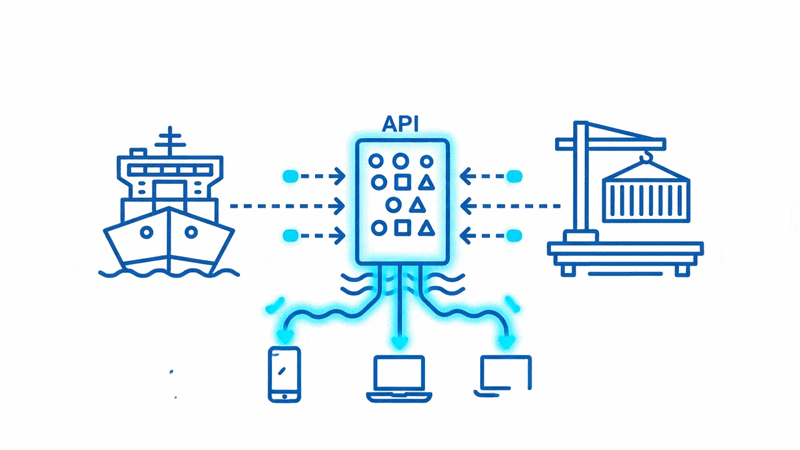
How APIs Work
The Request-Response Cycle
1Client Makes Request
Your application sends an HTTP request to the API endpoint with parameters like the vessel IMO number.
2Server Processes
The API server validates your request, queries its database, and prepares the response.
3Response Returned
The server sends back structured data (usually JSON) containing the requested information.
4Client Uses Data
Your application parses the response and displays or processes the data as needed.
Common HTTP Methods
GETRetrieve data from the server. Most common method for fetching vessel positions, port data, etc.
POSTSend data to the server to create or process something. Often used for authentication or complex queries.
PUTUpdate existing data on the server. Used to modify resources.
DELETERemove data from the server. Used to delete resources.
Example API Response
Here's what a typical JSON response from a vessel tracking API looks like:
{
  "imo": "9494694",
  "mmsi": "566929000",
  "name": "EVER GIVEN",
  "latitude": 29.9425,
  "longitude": 32.5775,
  "speed": 12.5,
  "course": 145.2,
  "heading": 147,
  "destination": "ROTTERDAM",
  "eta_utc": "2026-03-15T08:00:00Z",
  "ship_type": "Container Ship",
  "update_time": "2026-02-26T14:32:00Z"
}
This structured format makes it easy for applications to extract and use specific data fields.
Why Use APIs?
Speed & Efficiency
Access pre-built functionality instead of building from scratch. Get up and running in hours, not months.
Real-Time Data
Get the latest information instantly. No need to maintain your own data collection infrastructure.
Easy Integration
Standard protocols mean APIs work with any programming language. Build with Python, JavaScript, Java, or any other language.
Reliability & Scale
Professional APIs are built for reliability with SLAs, redundancy, and the ability to handle millions of requests.
Maritime API Applications
Maritime APIs like Data Docked enable a wide range of applications:
Fleet Management Systems
Track entire vessel fleets in real-time, monitor performance, and optimize operations.
Risk Assessment Tools
Power insurance underwriting and claims investigation with vessel position history.
Supply Chain Visibility
Integrate vessel tracking into logistics platforms for shipment visibility and ETA predictions.
Port Analytics Dashboards
Monitor port traffic, analyze congestion patterns, and optimize berth allocation.
Getting Started with Data Docked API
1
Sign Up for Free
Create your free account and get 20 credits to start testing our API immediately. No credit card required.
2
Get Your API Key
After signing up, log into your dashboard and navigate to "My Keys" to view your API key.
3
Explore the Documentation
Browse our API reference to understand available endpoints, parameters, and response formats. Working with an LLM or need OpenAPI specs? Use our machine-readable documentation.
4
Make Your First Request
Use our API library to find the endpoint you need and start making requests to fetch maritime data.
Frequently Asked Questions
API stands for Application Programming Interface. It defines the methods and data formats that applications can use to communicate with each other. Think of it as a contract between two software systems.
Ready to Start Building?
Sign up for free and get instant access to maritime data through our API.